Product Updates

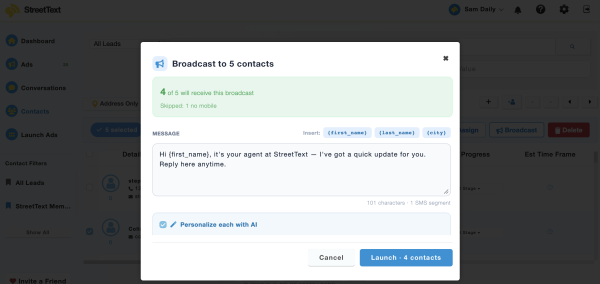
Bulk texting is here: one message, all your clients, still personal
Send one message to every client without copy and pasting it one at a time. Broadcasts personalises each text, and shows the cost before you send.

Send one message to every client without copy and pasting it one at a time. Broadcasts personalises each text, and shows the cost before you send.

The people in your database who went quiet are not gone. The timing was wrong. Here is how a well-placed guide brings them back to you.
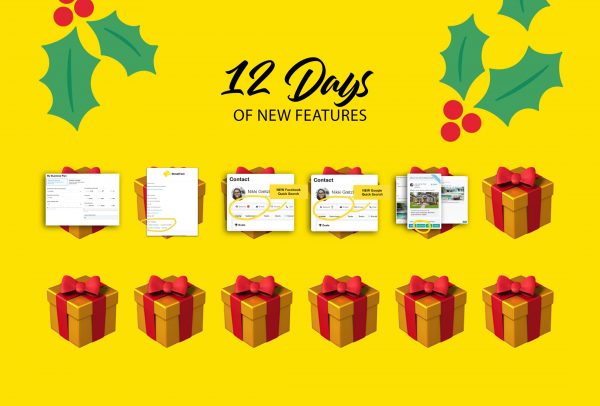

It’s that festive season… and what better way to celebrate and share the joy than 12 days of new feature releases. Our engineering and product team has been hard at work in Santa’s workshop getting these goodies ready for you. Twelve Days of Christmas Feature Releases ⛄ My Business Plan On the first day of


Personal brand building is more than just a tactic – it’s an adventure. It’s a long-term approach to business that will pay dividends well into the future, and it’s quickly becoming the norm in not just real estate, but all professional services industries. And the sooner you can start building your personal brand, the better prepared you’ll


Take a guess: How many times have you sent emails, text messages or left voicemails to leads this past year? Here’s another question, how many times did you reach out before giving up on the prospect? When it takes 7-13+ touches to deliver a qualified sales lead, it’s no wonder that the average industry conversion rate

Have you been wondering how to change the automated emails that are sent to your leads, from your StreetText account? If so, this is the article for you! Below, we’ll walk you through how to access the email section in your account, and discuss how you can alter these to best fit your lead and

Email integrations: Syncing your new contacts by email. Do you need to sync your new StreetText contacts with other apps? Or, do you need to send new contacts to someone on your team? This is easy to do with StreetText’s email integration tool. What information is included in the email integrations? The emails will include the following contact

We want to set you up for success, so here’s a walkthrough of how to connect your StreetText account with other applications, and email parsing to apps such as Five Street and similar applications! Follow the steps below to connect Five Street with StreetText: 1. Login to your StreetText account

StreetText integrates nicely with Top Producer CRM, and getting set up is dead simple. Today we’re going to go through the simple step-by-step instructions to have all your new StreetText contacts automatically added to your topproducer.com account. Intro Top Producer supports Email parsing, which is a simple way of importing contacts from an email to your

Whether your sales team is just starting out or it’s growing quickly, lead gathering is the lifeline that keeps the engine moving. However, sales follow up can get hectic when trying to manage contacts in multiple apps. By connecting your lead gathering tools to your existing sales systems, you can automatically have all your new contacts added to